

When you rely on a generator for power, understanding its limits is crucial. Have you ever wondered what happens when your generator becomes overloaded?
Will it shut off to protect itself, or could it lead to more serious issues? Knowing the answer to this question can save you from frustrating blackouts and costly repairs. We’ll explore how generators respond to overloads and what you can do to ensure your power source remains safe and efficient.
Stick around to discover essential tips that will help you maximize your generator’s performance and keep your devices running smoothly. Don’t risk a sudden shutdown—let’s dive in!
Generator Overload Basics
Understanding generator overload is crucial for anyone using a generator. Overloading can lead to serious issues, including potential damage to the generator itself. Let’s break down the basics of generator overload to keep your power supply safe and efficient.
What Is Generator Overload?
Generator overload occurs when the power demand exceeds the generator’s capacity. Each generator has a specific wattage limit, which you must respect. Exceeding this limit can cause the generator to struggle or even shut down.
Signs Of Overloading
- Frequent Shutdowns:If your generator turns off unexpectedly, it might be overloaded.
- Overheating:A hot generator is a sign that it’s working too hard.
- Dim or Flickering Lights:This indicates that your generator can’t provide enough power.
What Happens During Overload?
When overloaded, a generator can automatically shut off to protect its internal components. This safety mechanism prevents damage that could lead to costly repairs. If you experience a shutdown, it’s essential to check your power load immediately.
Preventing Overload
To avoid overload, calculate the total wattage of all devices you plan to power. Make sure this total is below your generator’s rated capacity. It’s wise to keep a running list of your equipment and their wattage requirements.
What Should You Do If Overloaded?
- Turn off some devices to reduce the load.
- Wait for the generator to cool down before restarting.
- Consider upgrading to a larger generator if you frequently exceed capacity.
Have you ever experienced a generator shutdown while using multiple appliances? It can be frustrating, especially during power outages. Understanding these basics will help you avoid such situations in the future.

Credit: www.facebook.com
How Generators Handle Overload
Understanding how generators handle overload is crucial for anyone relying on these machines for power. Overloading can lead to significant problems, but modern generators come equipped with features designed to manage excess load effectively. Let’s dive into the mechanisms that keep your generator safe and functioning.
Generator Load Capacity
Each generator has a specific load capacity, measured in watts. This number indicates the maximum amount of power it can supply without straining its components. Exceeding this limit puts your generator at risk of failure.
Always check your generator’s specifications before connecting devices. For instance, if your generator has a capacity of 5,000 watts, connecting appliances that total more than this amount can cause issues.
Automatic Shutoff Feature
Many generators come with an automatic shutoff feature. This system detects when the load exceeds the rated capacity and will shut down the generator to prevent damage. This safety net protects both the machine and your connected devices.
Imagine running your generator during a storm and suddenly losing power to your refrigerator. A reliable generator would automatically shut off, safeguarding your food from spoilage while preventing further damage to the generator.
Overload Indicators
Most generators also include overload indicators. These lights or alarms signal that you are approaching or have exceeded the generator’s capacity. This early warning system allows you to take action before a shutdown occurs.
Have you ever noticed a red light blinking on your generator? That’s your cue to unplug some devices and lighten the load. Ignoring it can lead to a frustrating power loss.
Manual Reset Options
After an overload, some generators require a manual reset. This process ensures that the generator is ready to operate again safely. Always consult the manual for the correct procedure.
When my generator shut down during a power outage, it was a simple matter of resetting it to get back up and running. Knowing this process can save you time and hassle.
Regular Maintenance
Regular maintenance is essential for preventing overload issues. Keeping the generator clean and well-serviced enhances its performance and longevity. Check oil levels, replace filters, and perform routine inspections.
Have you ever skipped maintenance only to face issues later? A little upkeep goes a long way in ensuring your generator can handle the load you put on it.
Understanding how your generator handles overload can help you make informed decisions. By being proactive about load management and maintenance, you can ensure your generator remains a reliable power source. Are you ready to maximize your generator’s potential? Stay informed and prepared!
Signs Of Generator Overload
Understanding the signs of generator overload is crucial for maintaining the safety and efficiency of your power supply. Overloading a generator can lead to damage, inefficiency, and even dangerous situations. Recognizing these signs early can save you time, money, and stress.
Unusual Noises
One of the first indicators of an overloaded generator is unusual noises. If your generator starts making clanking, buzzing, or grinding sounds, it’s time to pay attention. These noises often signal that the generator is struggling to keep up with the demand.
Fluctuating Power Output
Are your lights flickering or appliances running inconsistently? This fluctuation can mean your generator is overwhelmed. When a generator is overloaded, it may not provide a steady power supply, leading to unreliable performance.
Overheating
Feeling excessive heat around your generator is another red flag. Generators are designed to handle a certain load, and pushing them beyond that limit can cause them to overheat. Touching the casing may reveal a temperature that seems unusually high, indicating a problem.
Tripped Circuit Breakers
Frequent tripping of circuit breakers is a common sign of overload. If you notice this happening consistently, your generator may be trying to protect itself from excessive strain. Resetting the breaker may offer a temporary fix, but it’s a sign that you need to reduce the load.
Decreased Runtime
Have you noticed that your generator isn’t lasting as long as it used to? This reduction in runtime can indicate that it’s being pushed beyond its capacity. An overloaded generator will consume fuel more quickly, leading to shorter operation periods.
Burnt Smell
Any burnt smell coming from your generator is a serious concern. This odor may signal overheating components or electrical issues due to overload. If you detect this smell, turn off the generator immediately and investigate the cause.
Being aware of these signs can help you act before a minor issue turns into a major problem. Have you ever experienced generator overload? Understanding these indicators can make a significant difference in your generator’s performance and lifespan.
Built-in Protection Mechanisms
Built-in protection mechanisms are essential for generators. They automatically shut off when overloaded. This feature helps prevent damage and keeps the generator safe during heavy use.
Built-in protection mechanisms are essential for the safe operation of generators. They help prevent damage during overload situations. Understanding these features can save you time, money, and headaches.Automatic Shutoff
Many generators come equipped with an automatic shutoff feature. This mechanism activates when the generator senses an overload. It stops the engine, protecting both the generator and the connected devices. You might have experienced this firsthand. Perhaps you plugged in too many appliances, and suddenly everything went dark. That’s the generator’s way of saying, “Whoa! Too much power!”Voltage Regulation
Voltage regulation is another critical feature. It ensures that the output voltage remains stable. If the generator senses fluctuations caused by an overload, it adjusts the output accordingly. This stability is vital for sensitive electronics. You wouldn’t want your laptop to fry due to power spikes. Voltage regulation acts like a safety net, keeping your devices safe.Overload Indicators
Some generators have overload indicators that alert you when you’re close to exceeding capacity. This can be a simple light or a more advanced digital display. These indicators give you a heads-up, allowing you to adjust your load before damage occurs. Have you ever wished for a warning light on your car for those last-minute decisions? That’s what these indicators offer, helping you make smarter choices.Fuses And Circuit Breakers
Fuses and circuit breakers also play a significant role in overload protection. They disconnect the electrical circuit when the current exceeds safe levels. If your generator trips a breaker, don’t panic. It’s doing its job to protect you from damage. Resetting the breaker is usually as simple as flipping a switch.Regular Maintenance
Regular maintenance is key to keeping these protection mechanisms functioning effectively. Check your generator’s manual for maintenance schedules and tips. Neglecting maintenance can lead to failures in these built-in features. Investing a little time in upkeep can save you from bigger issues down the line. Do you know what protection mechanisms your generator has? Understanding these features can help you maximize your generator’s lifespan and efficiency.Risks Of Ignoring Overload
Ignoring generator overload can lead to serious problems. Many users underestimate the risks. Overloading can damage the generator. It can also cause safety hazards.
When a generator operates beyond its limit, it struggles. This strain can lead to overheating. Overheating can melt internal parts. Once damaged, repairs can be costly.
Potential Damage To The Generator
Overloading puts extra stress on components. Parts like the engine and alternator suffer. Damage may not be immediate, but it builds over time. Eventually, this can lead to a complete breakdown.
Fire Hazards
Overloaded generators can overheat and catch fire. This risk increases without proper ventilation. A fire can spread quickly. It can endanger lives and property.
Reduced Efficiency
Operating under overload decreases efficiency. The generator uses more fuel. This leads to higher running costs. Poor performance becomes a common issue.
Safety Risks To Users
Generators can pose safety risks in overload situations. Sparks or smoke may indicate trouble. Users may not recognize the danger immediately. Awareness is crucial for safe operation.
Credit: www.ebay.com
Steps To Prevent Overload
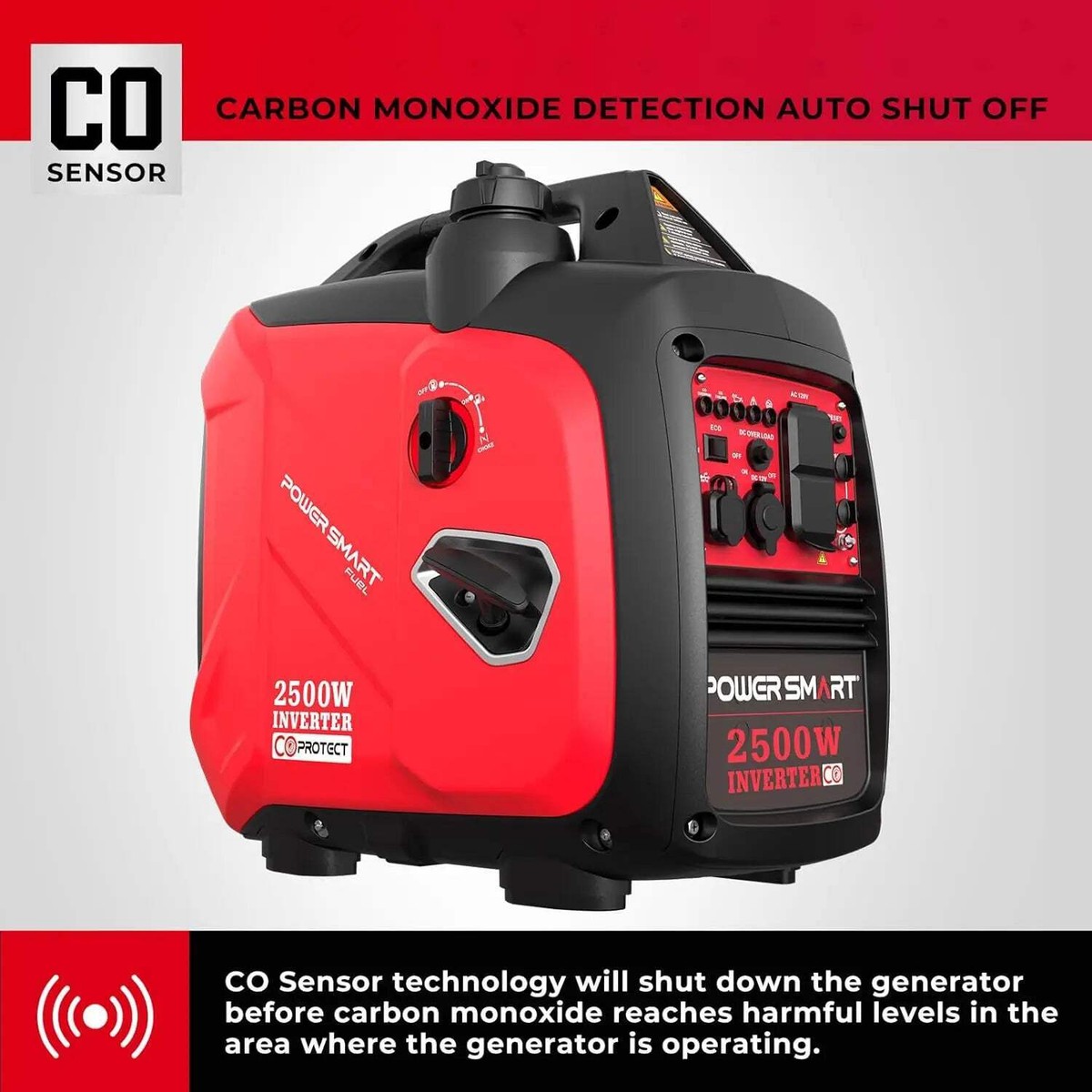
Generators can shut off when overloaded. To prevent this, check the total wattage of your devices. Use a power meter to ensure you do not exceed the generator’s limit. Regular maintenance also helps keep the generator running smoothly.
When using a generator, preventing overload is crucial for its longevity and performance. Overloading can lead to unexpected shut-offs and damage, which can be frustrating. You can avoid these issues by following specific steps to ensure your generator operates smoothly and efficiently.Understand Your Generator’s Capacity
Know the wattage limit of your generator. This information is usually found in the owner’s manual or on the generator itself. Make a list of all the appliances and devices you plan to use. Add up their wattage to see if it exceeds your generator’s capacity. Keep in mind that some devices require more power to start than to run. Always consider the starting wattage as well.Prioritize Your Power Needs
Identify which devices are essential during a power outage. This might include your refrigerator, lights, and critical medical equipment. Create a priority list. This way, you can decide which devices to power first if you find yourself close to the generator’s limit. You might find it helpful to use a power strip with a built-in circuit breaker. This can help you manage your load effectively.Regular Maintenance Checks
Perform routine maintenance on your generator. This includes checking the oil level, air filter, and spark plug. A well-maintained generator runs more efficiently and can better handle the demands placed on it. Make a schedule for these checks. Set reminders on your phone or calendar to ensure you don’t forget.Use Load Management Techniques
If you have multiple devices, stagger their use. Turn on one appliance at a time instead of all at once. Consider investing in a transfer switch. This allows you to manage your generator’s load more effectively and safely. Using a wattmeter can also help. It provides real-time data on your power consumption, allowing you to adjust accordingly.Educate Yourself And Others
Make sure everyone in your household understands the generator’s limits. This prevents unintentional overloads when multiple devices are used simultaneously. Share tips and insights with family and friends who also use generators. Knowledge is power, and the more you know, the better you can manage your equipment. Ask yourself: Have you ever experienced an overload situation? Reflecting on past experiences can provide valuable lessons for future use. By taking proactive steps and understanding your generator, you can significantly reduce the risk of overload. Managing your generator effectively can lead to a more reliable and efficient power supply during outages.Choosing The Right Generator Capacity
Choosing the right generator capacity is essential for ensuring your generator operates effectively without shutting down due to overload. Understanding your power needs can save you from potential frustrations and costs. Let’s dive into how you can make the right choice.
Assess Your Power Needs
Start by calculating the total wattage of the appliances and devices you plan to power. List everything you intend to run, from your refrigerator to your tools.
- Identify the starting wattage (the surge power needed to start devices).
- Determine the running wattage (the power needed to keep devices running).
Adding both the starting and running wattages gives you a clearer picture of your needs. This simple step prevents overloading your generator.
Consider Future Needs
Think about your future power requirements. Are you planning to add more appliances or tools? It’s wise to choose a generator with a higher capacity than your current needs.
Having extra capacity allows you to handle unexpected situations without stress. You never know when a new device may come into play.
Understand Generator Ratings
Generators come with different ratings: starting and running watts. The starting wattage is crucial for devices with motors, like refrigerators.
Always check the label on your devices for accurate wattage. This helps you avoid unexpected overloads, keeping your generator running smoothly.
Think About Usage Conditions
Will you be using the generator for short bursts or extended periods? If you plan to run it continuously, aim for a generator with a higher capacity.
Long-term use can generate heat, leading to potential shutdowns if the generator is overloaded. A well-chosen generator allows for efficiency and longevity.
Check For Overload Protection Features
Many modern generators have built-in overload protection. This feature automatically shuts down the generator when it detects an overload.
While this prevents damage, it can also interrupt your power supply. Knowing this can help you choose a generator that fits your power needs without risking overload.
What power needs do you foresee in the future? Take a moment to assess your requirements and choose wisely. The right capacity will keep your generator running strong, no matter what challenges arise.

Credit: westinghouseoutdoorpower.com
Frequently Asked Questions
Will My Generator Turn Off If Overloaded?
Yes, most generators are designed to shut off when overloaded. This safety feature prevents damage to the generator and connected devices. When the load exceeds the generator’s capacity, it automatically triggers a shutdown. Always check the generator’s load capacity to avoid this issue.
How To Know If My Generator Is Overloaded?
You can determine if your generator is overloaded by monitoring its wattage output. Many generators have built-in meters that display this information. If the output exceeds the rated capacity, the generator may shut down. Look for warning lights or alarms as indicators of overload.
What Happens When A Generator Is Overloaded?
When a generator is overloaded, it may overheat or cause damage to its components. Most models will automatically shut off to prevent further issues. However, continuous overloads can lead to mechanical failures. Always adhere to the manufacturer’s guidelines for safe operation.
Can I Restart My Generator After An Overload?
Yes, you can restart your generator after an overload. First, remove the excess load to ensure it operates within capacity. Wait a few minutes for the generator to cool down. Once it’s safe, you can restart it and resume power supply without issues.
Conclusion
Generators are crucial for providing power in emergencies. They can shut off when overloaded to protect themselves. This safety feature helps prevent damage. Always know your generator’s limits. Avoid running too many devices at once. Regular maintenance keeps your generator in good shape.
Understanding your generator ensures it runs safely and efficiently. Use this knowledge to stay prepared for any situation. Stay safe and keep your power running smoothly.