
When a portable power station will not charge, first identify the failed input method: wall AC, solar, or vehicle charging. Then check the exact model’s instructions, screen warnings, supported cable, input specifications, and charging settings. “Not charging” can describe no input, slow input, a charge limit, or an input that cannot keep up with connected loads.
Do not open the battery enclosure, bypass protection, improvise a charger, or repeat resets from a different model’s video. This guide provides a consumer diagnostic sequence based on official Jackery and EcoFlow documentation. It is not a repair manual or a claim that we tested your station.
Record the symptom before changing the setup
Write down the station’s full model, the input method, battery percentage, displayed input watts, output watts, warning icons, and any error code. Note the charger or panel model and the cable being used. Take a clear photo of the display and labels when doing so is safe.
Distinguish these observations: the screen is dark; the screen is on but input reads zero; input is present but the percentage does not rise; charging stops at a repeatable percentage; or one input works while another does not. Each points toward a different next question for the manual or official support.
If the unit has damage, swelling, liquid exposure, unusual heating, smoke, or a persistent serious error, stop routine troubleshooting and follow the manufacturer’s instructions. Do not keep charging it simply to collect more data. An active emergency needs emergency assistance, not an online diagnostic checklist.
Check the model and input direction
Some ports supply other devices but cannot refill the station. A USB-C connector, vehicle-style socket, or expansion port should not be assigned a charging role merely because a cable fits. Read the model’s input diagram and use the approved connection.
For example, the Explorer 1500 Ultra support sheet marks USB-C charging input as unsupported. A laptop charger connected to an output-only port would therefore be the wrong diagnostic setup for that model, even though the station can charge compatible USB-C devices.
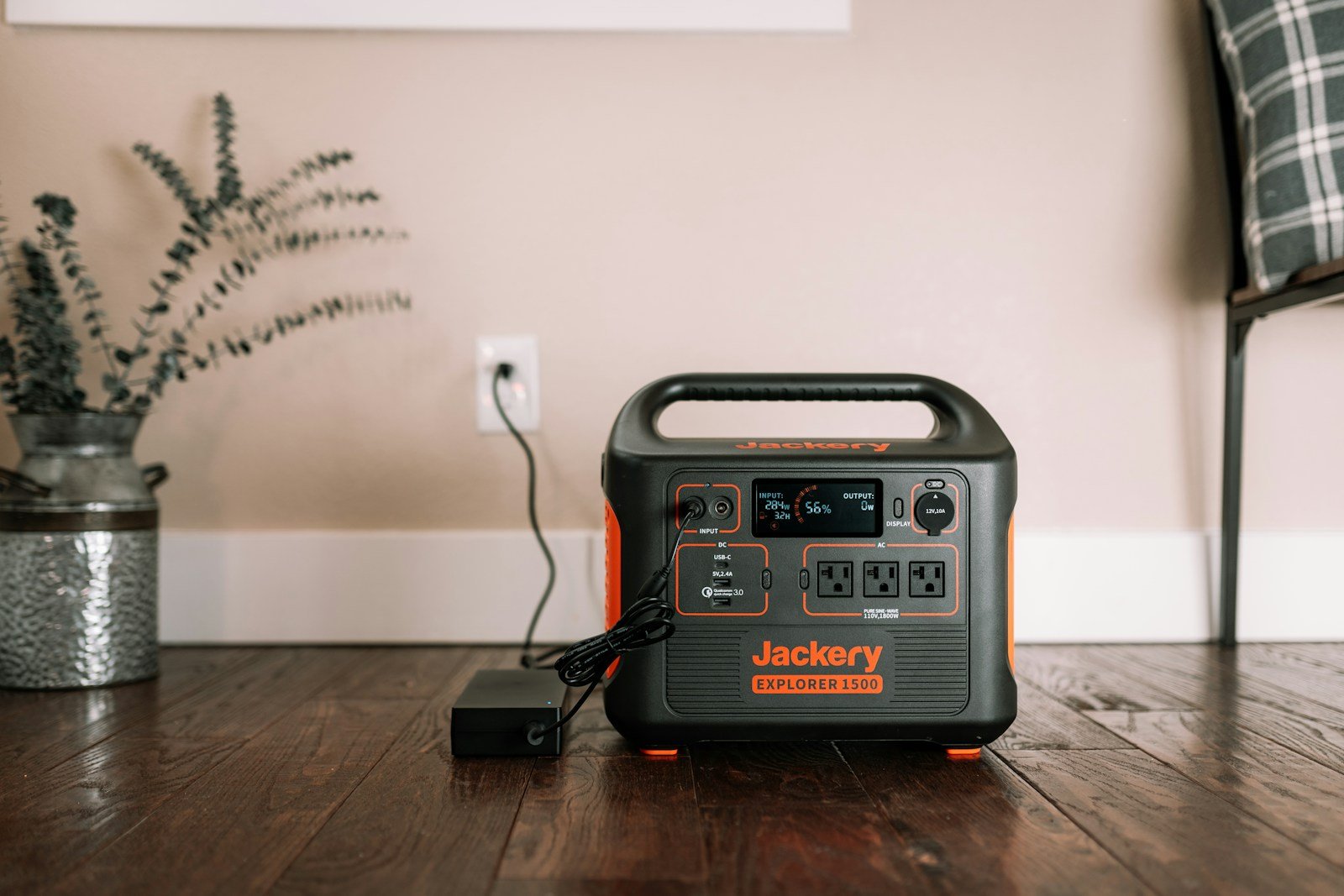
If you are using the older unit shown in this guide’s illustrative photo, our original Explorer 1500 guide helps distinguish it from newer 1500 versions. Model identity matters more than a familiar number on the front of the case.
Wall AC charging: isolate the source and cable
Use the charger and cable specified for the station. Confirm that the selected outlet and supply are suitable, and follow the manual’s connection sequence. Do not mix adapters from different stations without a documented compatibility match.
Jackery’s low-charging-power guidance identifies battery level, environmental conditions, charger issues, and internal faults as possible explanations and warns against mixing chargers from different power stations. A charging problem is not automatically proof that the internal battery has failed.
Change one external component at a time, using only compatible equipment. If you change the outlet, cable, adapter, settings, and connected load simultaneously, a successful result will be harder to interpret. Keep the comparison simple and record the outcome after each supported check.
Do not assume that a small vehicle inverter or another battery station can supply a fast AC-charging configuration. Compare the source’s output limits with the station’s supported input and charging settings. If the arrangement is unclear, ask the manufacturers before connecting them.
Input watts are not always net battery charging
Look at connected loads as well as input. A source providing less power than the operating equipment needs may not replenish the battery. EcoFlow’s incomplete-charging explanation discusses input limitations, settings, temperature, and cables as possible causes.
For a simple illustrative budget, imagine an input of 100W and loads requiring 140W. That leaves no positive balance to refill the battery, even before accounting for losses. If the input is 200W and loads use 140W, only the remaining portion is available for charging and operating overhead.
These are arithmetic illustrations, not measurements of a particular station. Where the manual permits, disconnect nonessential loads during diagnosis and observe the supported charging state. Do not interrupt critical equipment without an appropriate alternative supply and the equipment provider’s guidance.
Check charge limits and scheduled behavior
If charging stops at the same percentage, inspect the model’s app or menu for charge limits, reserve settings, scheduled charging, and operating modes. Record the existing settings before changing anything. An intentional limit can look like a charging fault when you expect every connection to end at 100%.
The DELTA 3 Plus manual describes charging limits and other app-controlled behavior. Use that as an example of what to look for, not a claim that every station has the same menus or reset procedure.
Do not disable a protection feature simply to force a higher percentage. If a setting is unfamiliar, read its definition and ask support. After a supported adjustment, check whether the observed result matches the intended behavior rather than assuming that any percentage change means the underlying issue is resolved.
Temperature warnings need the manual’s operating range
Read the exact charging-temperature range for your model and distinguish it from discharge or storage limits. A station may be permitted to supply a load under conditions where charging is restricted. Do not copy a temperature range from a different battery chemistry or product generation.
EcoFlow’s manual explains high- and low-temperature warnings and directs users to restore appropriate operating conditions. Follow the specific product instructions. Do not use a freezer, heater, or other improvised rapid-temperature method to force charging to resume.
If the warning persists despite conditions that the manual says are appropriate, stop and contact support. A warning disappearing after a restart is not enough evidence that repeated abnormal behavior should be ignored.
Solar charging: check the entire approved arrangement
Record the panel model, quantity, cable, connectors, positioning, and any series/parallel arrangement. Check panel open-circuit voltage, current, and the station’s permitted input. A panel that physically connects can still be electrically incompatible.
Our series-versus-parallel guide explains the planning differences. It does not authorize a custom connection. When you are unsure about limits or wiring, obtain a verified design rather than experimenting with extra panels.
Check light and placement before concluding that a low solar reading proves a fault. Note shade, time, orientation, and weather. Compare the observed input with the manufacturer’s stated conditions, and remember that a panel’s rated watts are not guaranteed continuous input at your site.
Do not make or break connections under load contrary to the instructions, probe live contacts without appropriate training, or adapt polarity by guesswork. If an approved AC input works but the supported solar arrangement does not, record that distinction for the manufacturer; it narrows the diagnostic question.
Vehicle charging: do not confuse socket and alternator methods
Confirm the approved vehicle cable and input port. Read the vehicle’s accessory-socket instructions as well as the station’s charging instructions. A separate alternator charger has its own compatibility and installation requirements and should not be treated like a simple plug-in cable.
Record whether the vehicle source is active under the conditions described by its manual. Do not bypass a vehicle fuse, modify a socket, or connect directly to a battery as a troubleshooting shortcut. Ask an appropriate installer or manufacturer when the supported arrangement is unclear.
If charging occurs but is slower than expected, compare it with the specification for that actual method. A headline figure for an optional alternator accessory is not a benchmark for an ordinary accessory socket. Keep the charging method and the advertised claim matched.
Use resets only for the models they cover
Jackery’s E1500/E1000 Pro/E2000 Pro troubleshooting guidance directs users to check error information and says reset is not recommended for frequent use without a diagnosed issue. Do not generalize its button sequence to unrelated products.
Find the exact model’s current instructions and perform only the supported procedure. Distinguish resetting a display, resetting wireless connections, and addressing a charging fault. A Wi-Fi reset is not automatically a battery reset, and neither should be used as a substitute for investigating a persistent error.
Send support a useful diagnostic summary
A good summary includes the model, private serial number through the official channel, purchase information, symptom, error code, supported accessories tried, input/output readings, settings, and the result of each check. Attach relevant photos without exposing private identifiers in public posts.
An illustrative note might say: “AC input works with the supplied cable. Solar input remains zero with this panel model and approved cable under these observed conditions. No connected loads. This warning appears.” That describes what happened without asserting an unverified internal diagnosis.
Ask whether the next step is an approved accessory replacement, a setting correction, warranty service, or retirement. Do not promise a free repair before checking the terms. Keep the response and stop improvising if support identifies a condition requiring service.
What not to conclude from one successful recharge
A resumed charge shows that the station accepted input under those conditions. It does not prove the original issue can never recur or that the battery has its original capacity. Keep the relevant settings and accessory record, and check the setup before relying on it for an important trip or outage.
Use the station only within its documentation and maintain a backup plan appropriate to the equipment involved. The goal is a clear, repeatable supported charging arrangement—not merely a percentage display that moves once.
Illustrative stock photo: Jackery Power Station on Unsplash, under the Unsplash License. This is a use-case illustration, not a photograph of the reviewed model or a hands-on test.