
If you’ve just installed a Generac generator, you might be wondering how to get it up and running smoothly. Activating your Generac generator is a crucial step to ensure it starts automatically when you need backup power the most.
Without activation, your system won’t operate in automatic mode, and your warranty coverage could be at risk. But don’t worry—this process is simple and only takes a few minutes. Whether you prefer to activate online or directly through the control panel, we’ll guide you step-by-step so you can protect your home and enjoy peace of mind.
Keep reading to learn exactly how to complete your Generac activation quickly and correctly.

Credit: apelectric.com
Activation Website Setup
Setting up your Generac generator for activation is a simple step that ensures your system runs smoothly. The activation website setup allows you to register your generator and transfer switch quickly. This process confirms your warranty and prepares your generator for automatic operation during power outages.
Using the online platform is straightforward, even for beginners. The website guides you through each step, making activation hassle-free. Having the correct information at hand speeds up the process.
Navigating Activategen.com
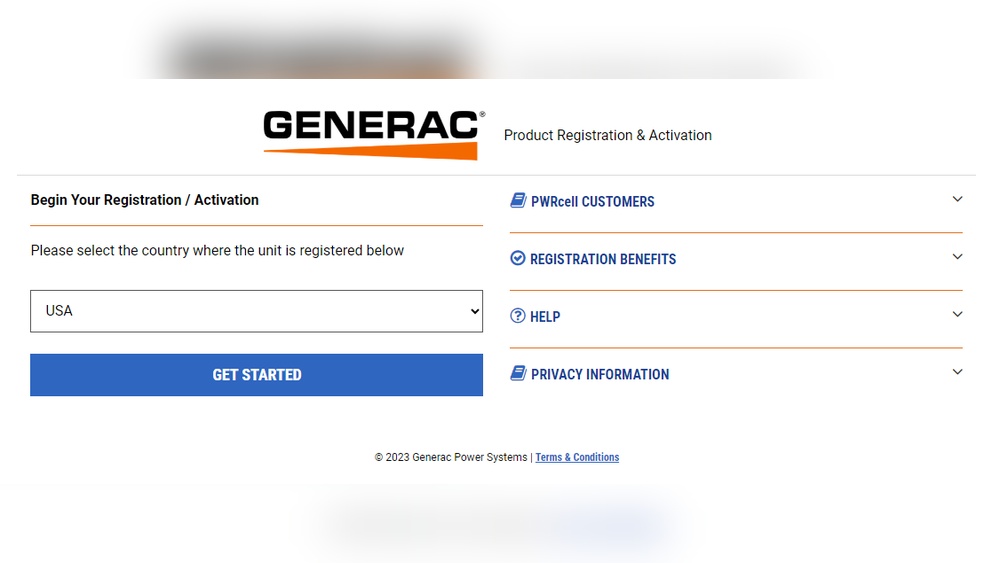
Start by visiting the official activation site at activategen.com. The homepage displays clear instructions and fields to enter your details. Menus are simple and easy to understand.
The site prompts you to create an account or log in if you already have one. After signing in, you can begin the activation process. The interface works well on both desktop and mobile devices.
Follow the on-screen prompts carefully. They guide you step-by-step through entering information and confirming your product details. The website also provides help if you encounter any issues.
Required Serial Numbers
Gather the serial numbers for your generator and transfer switch before starting. These numbers are essential for activation. They are found on data plates attached to each unit.
The generator serial number is usually located on the frame or engine. The transfer switch serial number appears on the switch box label. Both numbers must be entered accurately.
Double-check the serial numbers to avoid errors during submission. Incorrect entries can delay activation and warranty registration. Keep the numbers handy for future reference.
Online Activation Steps
Activating your Generac generator online is a simple process. It ensures your generator runs smoothly and stays covered under warranty. Follow these clear steps to complete the activation quickly. Have your generator and transfer switch serial numbers ready before you start.
Entering Information
Visit the official activation website at activategen.com. You will see a form asking for details about your generator. Enter the serial number found on the generator’s data plate. Do the same for the transfer switch if your model has one. Double-check the numbers to avoid errors. Provide your contact information next, including name, email, and phone number. This step links your generator to your account for support and updates.
Completing Registration
After entering the required information, follow the on-screen instructions. Confirm the details you entered are correct. Submit the form to complete your registration. You will receive a confirmation email once the process finishes. This confirms your generator is now activated and registered. Finally, set your generator to “AUTO” mode on the control panel to enable automatic operation during power outages.
Control Panel Activation
The control panel activation is a key step for many Generac generators. This process allows the generator to start automatically during a power outage. It also enables warranty coverage and full system functionality.
Activating through the control panel is simple. It uses a button sequence and LED signals to confirm success. These steps ensure the generator is ready for use without needing internet access.
Button Sequence Process
Begin by locating the control panel on your generator. The panel usually has buttons labeled “AUTO,” “OFF,” and “SET EXERCISE.”
Press the buttons in a specific order, often six presses combining these buttons. The exact sequence depends on your generator model. Follow the instructions provided in your manual or on the control panel.
If the sequence is entered correctly, the control panel will respond with LED signals. If not, you will need to try again until the correct sequence is accepted.
Led Confirmation Signals
After entering the button sequence, watch the LED lights closely. Successful activation is shown by LEDs scrolling five times across the panel.
If the sequence was incorrect, all buttons will flash three times quickly. This signals an error and the need to retry the sequence.
Once you see the correct LED pattern, set the generator to “AUTO” mode. This completes the activation and prepares the system to run automatically.
Setting Auto Mode
Setting the AUTO mode on your Generac generator is essential for seamless power backup. This mode allows the generator to start automatically during an outage. It ensures your home or business remains powered without any manual effort.
Activating AUTO mode is simple and quick. Once enabled, your generator monitors the power supply and reacts instantly to interruptions. This feature provides peace of mind and reliable energy support.
Enabling Automatic Startup
To enable automatic startup, first complete the activation process at activategen.com. Use the serial numbers from your generator and transfer switch. Follow the online steps carefully to register your product.
After registration, go to the control panel on your generator. Select the “AUTO” setting to activate automatic startup. The generator will now start itself during power failures.
Ensuring Power Backup
Setting your generator to AUTO mode guarantees continuous power backup. It monitors the main power and switches on instantly when needed. This prevents outages from affecting your appliances and devices.
Regularly check the control panel to confirm the AUTO mode is active. Test your generator to ensure it starts and runs smoothly. This keeps your power backup system ready for any emergency.
Portable Generator Registration
Registering your portable Generac generator is a simple step that helps you get the most from your purchase. Unlike standby models, portable generators do not need activation to operate. Still, registration is highly recommended to access important benefits.
No Activation Needed
Portable Generac generators start working right away. You do not need to complete any activation process. Just fuel the generator and follow the user manual to start it. The system runs without online activation or button sequences. This ease makes portable models perfect for quick, reliable power.
Benefits Of Product Registration
Registering your portable generator adds value. It helps protect your warranty and speeds up any future claims. You get alerts about recalls or safety updates. Registration also provides access to customer support and special offers. It ensures your product details are on file for faster service.
Activation Without Wi-fi
Activating your Generac generator usually requires an internet connection. Yet, some situations lack Wi-Fi access. Generac offers options to activate your generator without needing Wi-Fi. These methods ensure your standby generator works when power fails.
Manual Start Option
Many Generac models allow manual activation through the control panel. This option uses a button sequence to activate the generator. Find the “AUTO,” “OFF,” and “SET EXERCISE” buttons on your panel. Press them in the correct order to start activation. Watch the LED lights for confirmation. Five scrolling lights mean success. If the buttons flash three times, retry the sequence. After activation, switch the generator to “AUTO” mode. This lets it start automatically during an outage.
Offline Registration Tips
You can register your generator offline by phone or mail. Write down your generator and transfer switch serial numbers. Call Generac’s customer support to register your product. Provide the serial numbers and purchase details. Keep a copy of your registration for warranty purposes. Another option is mailing a registration form to Generac. This form is often included with your product. Offline registration helps secure warranty coverage without internet access.
Transfer Switch Role
The transfer switch is a key component in a Generac generator system. It safely transfers power from the utility to the generator during an outage. This switch prevents electricity from flowing back into the grid. It protects utility workers and keeps your home safe.
Without the transfer switch, manual connection is needed. This can be dangerous and may damage the generator or home wiring. The transfer switch automates this process, ensuring smooth power transition.
Serial Number Importance
The serial number of the transfer switch is vital for Generac activation. It uniquely identifies your switch for warranty and support. You must enter this number along with the generator’s serial number online.
This step confirms the parts match and are registered properly. Accurate serial numbers help avoid activation errors and speed up service requests. Keep the serial number safe and accessible.
Integration With Generator
The transfer switch works closely with the generator. It communicates when to start or stop the generator based on power needs. This integration allows automatic operation during power loss.
Both devices must be compatible and properly connected for best performance. The transfer switch also helps balance load and prevents overload. Proper integration ensures reliable backup power for your home.

Credit: www.engineersupply.com
Warranty Activation Benefits
Activating your Generac generator warranty brings important benefits. It ensures your product is protected and supported by the manufacturer. Activation allows you to access full warranty coverage and service options. It also helps maintain the generator’s performance and reliability over time.
Coverage Requirements
Warranty activation is necessary to meet coverage requirements. Without activation, your generator may not be fully protected. Activation registers your product with Generac, linking your purchase to warranty terms. It confirms that your generator is eligible for repairs or replacement if needed. This step is crucial for automatic standby models to start working correctly.
Registration Advantages
Registering your Generac generator provides clear advantages. It makes warranty claims easier and faster. You receive updates about product recalls or service notices. Registration helps track your generator’s history and service records. It also gives you access to customer support and helpful resources. Overall, registration adds peace of mind and better service experiences.
Troubleshooting Activation Issues
Troubleshooting activation issues with your Generac generator can save time and prevent frustration. Activation problems often occur during the initial setup or due to incorrect input. Identifying the cause quickly helps restore functionality and ensures your generator is ready for use.
Some activation errors may seem complex but have simple fixes. Understanding common errors and knowing how to reset the activation process can resolve most problems. This section guides you through these steps with clear instructions.
Common Errors
One frequent error is entering wrong serial numbers for the generator or transfer switch. Double-check the numbers on the data plates before typing.
Another issue is poor internet connection during online activation. A stable connection is essential for smooth activation.
Incorrect button sequences on the control panel cause activation failure. Follow the exact order of buttons as described in the user manual.
Activation codes may expire or be invalid if reused or shared. Use the unique code provided with your product.
Resetting Activation Process
Start by turning the generator off completely. Wait a few minutes before powering it back on to clear temporary errors.
Clear the control panel memory by holding the reset button or following the manual’s reset instructions.
Attempt activation again using the correct serial numbers or button sequence. Patience is key during this step.
If online activation fails, try using a different device or browser to complete the process.
Contact Generac support if problems persist after multiple attempts. They can guide you through advanced troubleshooting.

Credit: www.youtube.com
Maintenance After Activation
Maintaining your Generac generator after activation keeps it reliable and ready to work. Regular care prevents breakdowns and extends the generator’s life. Follow these simple steps to ensure your generator performs well during power outages.
Regular Testing
Test your Generac generator every month. Turn it on and let it run for about 10 minutes. This helps keep the engine and battery in good shape. Regular tests also show if any parts need fixing before a real power outage.
Check the oil and coolant levels during tests. Keep the area around the generator clean and free from debris. Proper testing helps avoid unexpected failures.
Software Updates
Generac often releases software updates for better performance. Check the control panel or Generac app for update alerts. Installing updates improves generator efficiency and fixes bugs.
Connect your generator to Wi-Fi or use a USB drive to update software. Keep the system updated to ensure smooth operation and new features.
Frequently Asked Questions
How Do I Activate My Generac Generator?
Activate your Generac generator by visiting activategen. com and entering your generator and transfer switch serial numbers. Follow on-screen instructions to complete activation and warranty registration. Then, set the control panel to “AUTO” mode for automatic operation during outages. Portable models don’t require activation but should be registered online.
How To Activate A Generator?
Activate your Generac generator by registering online at activategen. com using serial numbers. Then set the control panel to “AUTO” mode for automatic operation. Manual-start portable generators don’t require activation but should be registered for warranty. Some models allow manual activation via a button sequence on the control panel.
How To Activate A 7.5 Kw Generac Generator?
Activate a 7. 5 kW Generac generator at activategen. com using serial numbers. Then, set the control panel to “AUTO” for automatic operation. Manual start models do not require activation.
What Is The Class Action Lawsuit Against Generac?
The class action lawsuit against Generac alleges defective generators causing malfunctions and financial losses. Plaintiffs seek compensation for damages and repairs.
What Is Generac Activation For Generators?
Generac activation enables your generator to start automatically during power outages.
How Do I Activate My Generac Generator Online?
Visit activategen. com and enter your generator and transfer switch serial numbers.
Can I Activate My Generac Generator Without Wi-fi?
Yes, use the manual activation button sequence on the control panel.
Does A Portable Generac Generator Need Activation?
No, portable models start manually and don’t require activation.
Why Is Activation Important For Standby Generators?
Activation ensures automatic operation and is required for warranty coverage.
Where Can I Find My Generac Generator’s Serial Number?
Check the data plate on your generator and transfer switch.
Conclusion
Activating your Generac generator is simple and important. Use the online site or control panel for activation. This step ensures automatic operation during outages. Registering your generator helps protect your warranty. Portable models do not require activation but benefit from registration.
Without Wi-Fi, manual activation can start your generator. Following these steps keeps your power running smoothly when needed. Stay prepared and enjoy peace of mind with your Generac system.